This article contains affiliate links. We may earn a commission at no extra cost to you if you make a purchase through our links.
Why Your Monitor Matters More Than Your GPU
A gaming monitor is where every frame your PC generates actually becomes visible. Investing in a quality display transforms competitive shooters, fast-paced RPGs, and story-driven experiences into something genuinely different. The difference between a 60Hz and 144Hz monitor, or between TN and IPS panels, changes how responsive gameplay feels and how much detail you actually see.
We tested and compared dozens of monitors to find seven that deliver exceptional value under $600. Our criteria: high refresh rates for competitive performance, vibrant color accuracy for immersion, low input lag, solid build quality, and real-world availability. We excluded monitors with significant QC issues or misleading specs, and we prioritized options that perform across multiple game genres rather than niche hardware.
Whether you’re chasing 240 frames per second, seeking 4K immersion, or looking for your first high-refresh monitor, one of these will fit your budget and gaming style.
1. Dell S2722DGF
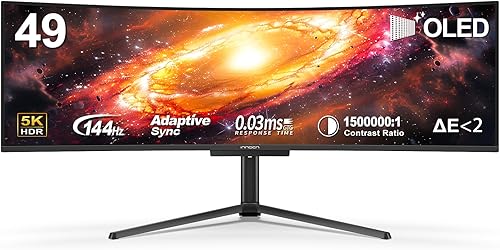
The S2722DGF has become the gold standard for balanced gaming at this price. It’s a 27-inch 1440p IPS monitor with 165Hz refresh rate and 1ms response time. Dell paired this with excellent color accuracy and minimal backlight bleed, making it equally comfortable for gaming and general work.
What makes it special is the execution. The 1440p resolution hits the sweet spot where you get sharp, detailed visuals without needing a $3000 GPU to sustain high frame rates. The IPS panel means colors are vibrant and viewing angles are forgiving, but it also means response times are technically slower than TN panels. For most players, you won’t notice the difference—a 1ms IPS response feels responsive.
This monitor is best for players who want a reliable, uncompromising foundation. It works equally well for Valorant at 165fps or graphically demanding single-player games where you want both smoothness and detail.
- Excellent color accuracy and wide viewing angles from IPS panel
- 1440p resolution sharp enough at 27 inches without excessive GPU demand
- Completely flat, no curve—perfect for desk setups with multiple monitors
- USB hub with upstream connection adds practical value
- Minimal backlight bleed and dead pixels in most units
- 1ms response time is adequate but not the fastest available
- No premium features like HDMI 2.1 or high native contrast
Verdict: Buy this if you want a proven, balanced monitor that excels at everything without gimmicks.
2. LG 27GP850-B
LG’s 27GP850-B is the monitor for players prioritizing competitive advantages. It combines a 27-inch 1440p IPS panel with 180Hz refresh rate and 1ms response time. The higher refresh than Dell’s offering makes the difference in fast-paced games where every frame counts.
LG pushed the speed of IPS technology here—the panel response is noticeably snappier than older IPS designs. Color quality remains strong, though not quite as refined as the Dell. The monitor includes DisplayPort 1.4 with 10-bit color support and full RGB coverage. Build quality is solid, with a sturdy stand and minimal panel uniformity issues.
This is the monitor for Valorant, CS2, and Apex Legends players who have GPU power to sustain 150+ fps and want every advantage. The extra 15Hz over the Dell matters in competitive play, and the slightly faster response time reinforces that edge.
- 180Hz refresh rate provides measurable advantage in competitive games
- Respectable color accuracy on IPS with DCI-P3 coverage
- DisplayPort 1.4 future-proofs for upcoming gaming hardware
- Fast response time for an IPS panel—noticeably snappier than older designs
- HDMI inputs included alongside DisplayPort
- Glossy screen coating picks up reflections, annoying in bright rooms
- Stand doesn’t pivot to portrait mode, limiting flexibility
Verdict: Get this if you’re competitive in fast-twitch games and have a GPU that can feed 150+ fps consistently.
3. ASUS ROG Swift PG279QM
The PG279QM represents what happens when manufacturers stop compromising. It’s a 27-inch 1440p IPS monitor with 240Hz refresh rate, 1ms response time, and premium color accuracy. This is essentially the performance ceiling for 1440p gaming monitors under $600.
ASUS equipped it with their Quantum Dot technology for enhanced color volume, a professional-grade factory calibration out of the box, and AMD FreeSync Premium with NVIDIA G-Sync compatibility. The stand includes height, tilt, and pivot adjustment. Cable management is clean. Every design decision prioritizes performance over cost-cutting.
This monitor targets serious players with high-end GPUs capable of pushing 200+ fps. It’s also excellent for content creators and streamers who need both gaming responsiveness and color accuracy. You’re paying a premium, but you’re getting a premium monitor.
- 240Hz refresh rate with certified fast response time—buttery smooth
- Professional color accuracy suitable for photo/video work
- Premium stand with full adjustability including pivot
- Quantum Dot technology creates vibrant colors without sacrificing accuracy
- G-Sync compatible and FreeSync Premium certified
- Premium pricing approaches the upper limit of the budget
- Overkill for players who can’t sustain 200+ fps
Verdict: Buy this if you have a high-end GPU, demand premium visuals, and want to eliminate any performance bottleneck from your monitor.
4. LG 32GN650-B
Sometimes the best value comes from increased screen size. The 32GN650-B is a large 32-inch curved 1440p VA monitor with 165Hz refresh rate. The curve is 1800R, which creates a subtle immersion boost without feeling gimmicky. The larger screen real estate is immediately noticeable compared to 27-inch monitors.
LG used a VA panel here rather than IPS, which means higher native contrast (deeper blacks) but slightly narrower viewing angles. For gaming specifically, the improved contrast advantage often outweighs the viewing angle limitation. The 1440p resolution on 32 inches is less sharp than 1440p on 27 inches, but it’s still detailed enough for immersive gaming. Response time is adequate at 1ms, though typical of VA panels in practice.
This monitor excels for immersive single-player games and anyone who values screen real estate. The curved design and high contrast create a more enveloping visual experience than flat panels. It’s also excellent for co-op games where you’re sitting back and enjoying the ride.
- 32-inch screen provides noticeable immersion advantage for the price
- 1800R curve adds visual impact without excessive distortion
- High contrast VA panel produces deeper blacks and richer colors
- 165Hz sufficient for console ports and single-player games
- Significantly cheaper than curved 1440p competition
- 1440p on 32 inches produces visible pixelation up close
- VA panel has narrower viewing angles—colors shift if you’re not centered
Verdict: Choose this if you want immersion, screen space, and strong contrast without spending on premium brands or high resolutions.
5. Corsair XENEON 32

If you want the ultimate immersive gaming display at this price, the XENEON 32 delivers. It’s a 32-inch curved 1440p IPS monitor with 165Hz refresh rate and 1ms response time. Corsair equipped it with excellent color accuracy, a premium stand, and aggressive styling.
The standout feature is the 1800R curve paired with an IPS panel—you get the immersion of a curve with the color accuracy typically found on flat monitors. The build quality is noticeably better than budget curved options. The stand is sturdy with full adjustment including pivot. Cable routing is thoughtful. This monitor feels like a premium product, and it performs like one.
This is the choice for players with RTX 4070 Super or higher who want maximum immersion without sacrificing color quality. It’s also excellent for ultrawide-alternative immersion, delivering a curved widescreen feel without actual ultrawide prices.
- IPS panel on a curved monitor—best of both worlds for color and immersion
- Excellent build quality with substantial stand and cable management
- 1440p on 32 inches is acceptable and delivers enough pixel density
- 165Hz sufficient for GPU load optimization in demanding games
- Premium Corsair design language makes this a showpiece
- Premium pricing within the $600 budget
- 1ms response time is adequate, not exceptional
Verdict: Get this if immersion is your priority, you have a capable GPU, and you’re willing to pay for polish and build quality.
6. MSI MAG 272CQZ

MSI’s 272CQZ is how you deliver premium curved gaming at budget prices. It’s a 27-inch curved 1440p VA monitor with 165Hz refresh rate and 0.5ms response time. The curve is aggressive at 1500R, creating genuine visual immersion at 27 inches.
The specifications look nearly identical to other competitors, but MSI’s execution stands out. The panel has excellent uniformity with minimal color shifting. The curve is consistent and doesn’t distort edges. Response time is legitimately fast for a VA panel. The stand is solid, offering height and tilt adjustment. It’s not as premium feeling as Corsair or ASUS, but it’s substantively better built than budget alternatives.
This is the monitor for budget-conscious players who want a curved setup. You’re not getting premium aesthetics or top-tier response times, but you’re getting a competent, reliable gaming display with good value.
- 1500R curve provides genuine immersion at 27 inches
- 0.5ms response time is legitimately fast
- VA panel contrast is better than IPS competitors at this price
- Solid build quality exceeds typical budget curved monitors
- Quiet operation with minimal fan noise (some curved monitors have active cooling)
- 1440p on 27 inches is sharp, but the curve exaggerates this sharpness in ways some find excessive
- Steeper price than flat 27-inch alternatives
Verdict: Buy this if you want immersion on a budget and value the curve over flatness as your priority.
7. BenQ EW2880U

For players who prioritize visual fidelity above frame rate, the EW2880U changes the conversation entirely. It’s a 28-inch 4K (3840×2160) IPS monitor with 60Hz refresh rate. In a roundup focused on gaming, this might seem like a strange inclusion—until you play a modern AAA title at 4K on a properly calibrated display.
BenQ designed this monitor for professionals, which means exceptional color accuracy, factory calibration, and hardware-based color management. The 4K resolution provides stunning detail in open-world games, modern shooters, and story-driven experiences. The slower refresh rate matters far less once you’re above 60fps in single-player games. Response time of 5ms is fine for non-competitive genres.
This monitor is for GPU owners with RTX 4090 or equivalent, or for console gamers seeking visual excellence. It’s also for players with mixed workloads—gaming, content creation, photo editing. At 60Hz, competitive multiplayer is off the table, but single-player immersion is unmatched in this price bracket.
- 4K resolution provides stunning detail unmatched by 1440p alternatives
- Professional-grade color accuracy exceeds gaming monitors
- Factory calibrated with full sRGB coverage and Delta E <2
- Exceptional HDR performance with good brightness and contrast
- 28-inch 4K sweet spot—sharp without excessive GPU demand for single-player
- 60Hz refresh rate is dealbreaker for competitive games
- Overkill for players focused on esports titles
Verdict: Choose this if you prioritize visual fidelity in single-player games and value color accuracy for mixed professional and gaming work.
Final Recommendation
The Dell S2722DGF remains the best all-around choice under $600. It delivers balanced performance, reliability, and value without compromise. For specific priorities: pick the LG 27GP850-B if you need competitive advantage, the ASUS ROG if budget allows premium features, the LG 32GN650-B if you want immersion on a budget, the Corsair if you want premium curved gaming, the MSI if you want aggressive curves at lower cost, and the BenQ if 4K single-player immersion is your goal. Each represents a legitimate option depending on your GPU, game preferences, and priority between performance and visuals.
Related Articles
- 7 Best Budget Laptops Under $600 in 2026: Ranked by Real Users
- How to Choose the Right Toothbrush: A Complete Buyer’s Guide (2026)
- 7 Best Personal Care Products for Small Bathrooms in 2026
You might also like: How to Choose the Right Electric Toothbrush: A Complete Buyer’s Guide (2026)